
Why Is Cloud Backup Important for Businesses?
Data is one of the most valuable assets a business has. Customer records, financial information, employee files, contracts, databases, product information, emails, and business documents all play an important role in daily operations.
But what happens when that data suddenly disappears?
A hardware failure, accidental deletion, cyberattack, software problem, natural disaster, or human mistake can cause serious data loss. For a small business, losing important information can be more than an inconvenience—it can interrupt operations, create financial losses, and damage customer trust.
This is why cloud backup for businesses has become an important part of modern data protection strategies.
Cloud backup allows organizations to create copies of important data and store those copies in cloud-based infrastructure. If the original data becomes unavailable or damaged, the business can use its backups to recover information.
In this guide, we’ll explain why cloud backup is important for businesses, how it works, its major benefits, common risks, best practices, and how organizations can build an effective cloud backup strategy.
What Is Cloud Backup?
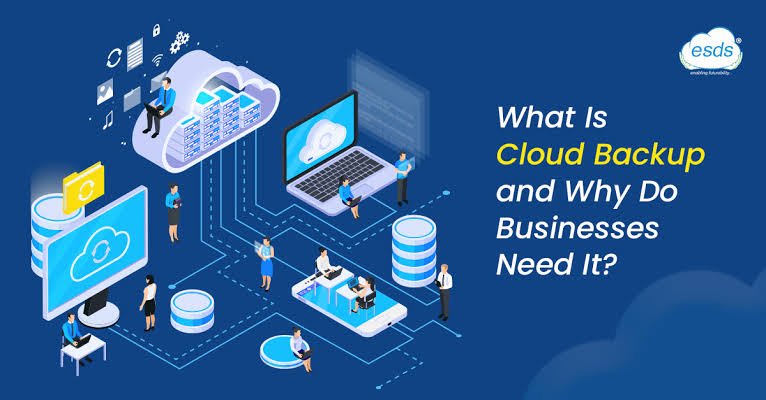
Cloud backup is the process of copying business data to a remote cloud-based storage environment so that it can be recovered if the original data is lost, damaged, deleted, or compromised.
Depending on the backup solution, organizations can back up:
- Files
- Databases
- Virtual machines
- Applications
- Servers
- Employee devices
- Business documents
- Customer information
- System configurations
Cloud backup is different from simply storing files in cloud storage.
Cloud storage is often designed for everyday access and collaboration.
Cloud backup is specifically designed to maintain recoverable copies of data.
A business may use both.
How Does Cloud Backup Work?
A typical cloud backup system automatically copies selected data from business systems to cloud-based storage.
The backup process may happen:
- Continuously
- Hourly
- Daily
- Weekly
- According to a custom schedule
Many backup systems allow businesses to maintain multiple recovery points.
For example, if an employee accidentally deletes an important document, the organization may be able to restore an earlier version.
A properly designed backup system can also help recover from larger incidents, such as ransomware or server failure.
Why Is Cloud Backup Important for Businesses?
Businesses depend on data for almost everything they do.
Without reliable data, employees may not be able to serve customers, process orders, access financial records, or operate important applications.
Cloud backup provides an additional layer of protection against data loss.
Here are some of the most important reasons businesses should consider cloud backup.
1. Protection Against Accidental Data Deletion
Human error is a common cause of data loss.
An employee may accidentally delete:
- A customer record
- A financial spreadsheet
- A project file
- An important email
- A database
- A business document
Without a backup, recovering deleted information may be difficult or impossible.
Cloud backups can provide previous versions or recovery points that allow organizations to restore lost information.
2. Protection Against Ransomware
Ransomware is a major cybersecurity concern for businesses.
Attackers may encrypt business data and demand payment for its recovery.
If an organization’s backups are also accessible to the attacker, they may be deleted or encrypted.
For this reason, businesses should design backups with security in mind.
Useful protections can include:
- Access controls
- Multi-factor authentication
- Encryption
- Backup isolation
- Immutable backups where appropriate
- Monitoring
- Separate administrative credentials
A secure backup can provide an important recovery option after a ransomware incident.
3. Protection From Hardware Failure
Business hardware can fail.
Hard drives, servers, storage systems, and other components eventually experience problems.
A server failure can make important information temporarily or permanently unavailable.
Cloud backup provides an additional copy of information outside the original hardware environment.
If the original system fails, the organization may be able to restore its data to replacement hardware or another environment.
4. Disaster Recovery
Natural disasters and major infrastructure incidents can disrupt business operations.
Events such as floods, fires, severe storms, power failures, or other disasters can damage physical equipment.
If backups are stored only inside the same building, they may be lost along with the original systems.
Cloud backup can provide geographically separated copies, depending on the service and configuration.
This can support broader disaster recovery planning.
5. Business Continuity
Businesses need to continue operating even when unexpected events occur.
A reliable backup and recovery strategy can help organizations restore important information and systems after an incident.
For example, an online retailer experiencing a server failure may use backups to recover critical application data and return services to operation.
The faster an organization can recover, the smaller the potential disruption may be.
6. Remote Data Protection
Modern businesses often have employees working from different locations.
Important information may exist on laptops, desktops, mobile devices, and cloud applications.
Cloud-based backup solutions can help organizations protect data across distributed environments, depending on the solution being used.
This can be particularly useful for businesses with remote and hybrid employees.
7. Easier Backup Automation
Traditional backups may require employees to manually copy files to external drives or other storage systems.
Manual processes are easier to forget.
Cloud backup can automate the process according to a defined schedule.
Automated backups can reduce the likelihood that an important backup will be missed.
However, automated backups should still be monitored to ensure they are completing successfully.
8. Scalability
Business data can grow quickly.
A company might start with a relatively small amount of information and eventually manage terabytes or more.
Cloud backup infrastructure can provide scalable storage options.
Businesses can increase backup capacity as their data requirements grow without necessarily purchasing additional physical storage equipment.
9. Cost Efficiency
Cloud backup can reduce the need for some organizations to purchase and maintain dedicated backup hardware.
Instead, businesses can use cloud-based backup services according to their requirements.
However, cloud backup isn’t automatically cheaper than every traditional solution.
Organizations should evaluate:
- Storage costs
- Data transfer
- Retention periods
- Recovery costs
- Service fees
- Management requirements
Total cost depends on the backup strategy.
10. Version History and Recovery Points
A strong backup system can maintain multiple versions of information.
This is useful when data becomes corrupted or changes unexpectedly.
For example, if a spreadsheet was accidentally modified three days ago, a business may be able to restore an earlier version.
Recovery points provide more flexibility than simply maintaining one copy of the latest data.
11. Better Protection for Critical Applications
Businesses often depend on databases and applications rather than simple files.
A backup strategy can protect important systems such as:
- Customer databases
- Accounting applications
- Inventory systems
- Enterprise software
- Business applications
Application-aware backup capabilities can help ensure that data can be restored consistently.
12. Support for Compliance
Some industries and organizations have legal, regulatory, or contractual requirements relating to data retention and protection.
A structured backup strategy can support these requirements.
Businesses should determine:
- What information must be retained
- How long it should be kept
- Who can access backups
- How backups are protected
- How recovery is documented
Backup alone does not guarantee compliance, but it can be an important part of a broader data-management program.
Cloud Backup vs. Cloud Storage
Cloud backup and cloud storage are often confused.
Cloud Storage
Cloud storage is generally designed for everyday file access, sharing, synchronization, and collaboration.
Cloud Backup
Cloud backup is designed to create recoverable copies of data.
For example, an employee might use cloud storage to work on a document every day.
The business could separately use cloud backup to preserve historical copies of important files and systems.
Many organizations need both services.
Cloud Backup Security
Cloud backup must be protected just like production data.
If attackers can easily access backups, those backups may not be useful during a cyberattack.
Important security measures include:
Encryption
Encrypt data while it is being transferred and stored.
Multi-Factor Authentication
Require strong authentication for backup administrators and other privileged users.
Access Controls
Limit who can create, modify, delete, or restore backups.
Backup Isolation
Where appropriate, separate backups from normal production systems.
Immutable Backups
Immutability can help prevent backup data from being changed or deleted during a defined retention period, depending on the technology used.
Monitoring
Monitor backup activity for unusual behavior.
The 3-2-1 Backup Strategy
One commonly used backup principle is the 3-2-1 backup strategy.
It generally recommends keeping:
- 3 copies of important data
- On 2 different types of storage or media
- With 1 copy kept offsite
Cloud backup can help organizations satisfy the offsite component of this strategy.
Some organizations use expanded approaches such as 3-2-1-1-0, which add additional considerations such as an offline or immutable copy and verified recovery.
The exact strategy should match the organization’s risk profile.
Why Backup Testing Matters
Creating backups is only part of the process.
Businesses must also verify that those backups can actually be restored.
A backup may fail because of:
- Configuration errors
- Corrupted data
- Incomplete backups
- Missing credentials
- Software compatibility issues
- Incorrect retention settings
Organizations should periodically perform recovery tests.
Testing helps identify problems before an actual emergency occurs.
How Businesses Can Create a Cloud Backup Strategy
A strong backup strategy should begin with an assessment of business requirements.
Step 1: Identify Critical Data
Determine which applications, databases, files, and systems are essential.
Step 2: Define Recovery Objectives
Establish the acceptable amount of data loss and the maximum time systems can remain unavailable.
These are commonly described as:
Recovery Point Objective (RPO): How much data loss is acceptable.
Recovery Time Objective (RTO): How quickly a system should be restored.
Step 3: Select a Backup Solution
Choose a solution that supports your infrastructure and recovery requirements.
Step 4: Set Backup Schedules
Determine how frequently each workload needs to be backed up.
Step 5: Establish Retention Policies
Decide how long different backup versions should remain available.
Step 6: Secure the Backups
Implement encryption, authentication, access controls, and other appropriate protections.
Step 7: Test Recovery
Regularly verify that critical information can be restored successfully.
Common Cloud Backup Mistakes
Businesses can weaken their backup strategy by making several common mistakes.
Relying on a Single Backup
One backup isn’t necessarily enough.
Never Testing Recovery
A backup that cannot be restored is not a reliable backup.
Giving Too Many Users Access
Excessive permissions increase security risks.
Ignoring Retention Policies
Backups can become expensive or fail to meet business requirements without proper retention management.
Not Protecting Backups From Ransomware
Backups should be isolated or protected against unauthorized modification and deletion where appropriate.
Forgetting Remote Devices
Important data may exist on employee devices outside the office.
Who Needs Cloud Backup?
Almost every modern business can benefit from a structured backup strategy.
Cloud backup can be particularly useful for:
- Small businesses
- E-commerce companies
- SaaS businesses
- Financial organizations
- Healthcare organizations
- Professional services
- Remote teams
- Enterprises
- Organizations with distributed infrastructure
The size of the business doesn’t eliminate the need for data protection.
Frequently Asked Questions
Why is cloud backup important for businesses?
Cloud backup protects business information against accidental deletion, hardware failure, cyberattacks, disasters, and other causes of data loss. It can also support business continuity and disaster recovery.
Is cloud backup better than physical backup?
Cloud and physical backups can serve different purposes. Many organizations use a combination of backup methods to create multiple layers of protection.
Does cloud backup protect against ransomware?
It can help, particularly when backups are protected using appropriate access controls, isolation, encryption, immutability, and monitoring. However, no backup strategy should be treated as a complete cybersecurity solution.
How often should businesses back up their data?
It depends on how frequently data changes and how much data the business can afford to lose. Critical systems may require frequent or continuous backups.
Are cloud backups secure?
Cloud backups can be highly secure when properly configured, but businesses must implement appropriate authentication, access controls, encryption, monitoring, and recovery procedures.
What is the 3-2-1 backup rule?
The 3-2-1 approach recommends keeping three copies of data, using two different types of storage or media, with one copy stored offsite.
Final Thoughts
Cloud backup is important for businesses because data loss can happen unexpectedly.
Hardware failures, accidental deletion, cyberattacks, ransomware, software problems, and disasters can all disrupt access to critical information.
A reliable cloud backup strategy gives businesses another layer of protection.
It can help organizations recover important files, databases, applications, and systems when something goes wrong.
The biggest benefits of cloud backup include automated protection, scalability, offsite data storage, disaster recovery support, ransomware resilience, and easier access to recovery points.
However, simply signing up for a cloud backup service isn’t enough.
Businesses need to determine which information is critical, define recovery objectives, secure backup environments, establish retention policies, monitor backup jobs, and regularly test recovery procedures.
The best backup strategy is one that is designed around the organization’s actual risks and business requirements.
For modern businesses, data is too important to protect with a single copy.
By implementing a secure and well-tested cloud backup strategy, organizations can improve resilience, reduce the impact of data-loss incidents, and remain better prepared for unexpected disruptions.