
Cloud computing has changed the way people and businesses use technology. From storing photos on a smartphone to running large business applications, much of what we do online depends on cloud technology. But what exactly is the cloud, and how does cloud computing work?
If you are new to technology, terms like cloud storage, cloud services, SaaS, public cloud, and virtual machines can sound complicated. The good news is that the basic idea behind cloud computing is actually quite simple.
In this beginner’s guide, we will explain what cloud computing is, how it works, the different types of cloud computing, its major benefits, common examples, and why the cloud has become so important in the modern digital world.
What Is Cloud Computing?
Cloud computing is the delivery of computing resources over the internet instead of requiring users to own and maintain all the physical hardware themselves.
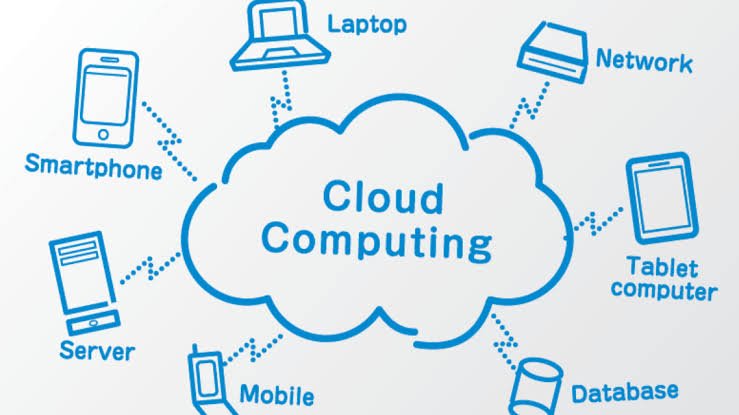
These resources can include:
- Storage
- Servers
- Databases
- Networking
- Software
- Computing power
- Security tools
- Data analytics services
In simple terms, cloud computing allows you to use technology resources whenever you need them without having to manage the physical infrastructure behind them.
For example, when you save a document using an online storage service, the file may not actually be stored on your computer. Instead, it is stored on remote servers located in a data center. You can access that file through the internet from another computer, tablet, or smartphone.
The “cloud” is therefore not a mysterious place in the sky. It is essentially a network of physical servers, data centers, networking equipment, and software that work together to provide computing services over the internet.
How Does Cloud Computing Work?
At a basic level, cloud computing works by connecting users to powerful remote computers through the internet.
Cloud providers operate large data centers filled with servers. These servers provide computing resources to customers. Instead of purchasing physical servers and maintaining them in an office, a business can rent the resources it needs from a cloud provider.
When you use a cloud service, your device sends a request through the internet. The cloud provider processes that request using its infrastructure and sends the result back to your device.
For example, imagine you are using an online photo-storage service. When you upload a picture, your smartphone sends the file to the provider’s servers. The cloud service stores the image and makes it available whenever you log into your account.
This model offers businesses and individuals greater flexibility because they can access resources without owning the underlying hardware.
Why Is Cloud Computing Important?
Cloud computing has become important because traditional IT infrastructure can be expensive, complicated, and difficult to scale.
In the past, a growing company might have needed to purchase additional servers, install networking equipment, hire specialists, and maintain its own data center. Cloud computing provides another option.
Businesses can rent computing resources when they need them and increase or decrease usage as circumstances change.
For startups and small businesses, this can be particularly useful. Instead of making a large investment in hardware before launching a product, a company can begin with a relatively small amount of cloud infrastructure and expand as its customer base grows.
Cloud technology has also made it easier for employees to work remotely, collaborate on documents, back up information, and access business applications from different locations.
Types of Cloud Computing
There are several ways to categorize cloud computing. Two of the most common classifications are based on deployment models and cloud service models.
Public Cloud
A public cloud is a cloud environment operated by a third-party provider and made available to multiple customers.
Customers share the provider’s underlying infrastructure, while their data and applications remain logically separated.
Public cloud services are popular because they can provide flexibility without requiring an organization to purchase and maintain its own physical infrastructure.
Private Cloud
A private cloud is designed for use by a single organization.
The infrastructure may be hosted within the company’s own facilities or managed by a third-party provider. Private cloud environments can provide organizations with greater control over infrastructure and configuration.
They are often considered when businesses have specific security, compliance, or performance requirements.
Hybrid Cloud
A hybrid cloud combines private and public cloud environments.
For example, a company might keep sensitive information in a private environment while using public cloud resources for applications that need additional computing capacity.
Hybrid cloud strategies can provide flexibility while allowing organizations to maintain control over certain workloads.
Cloud Computing Service Models
Cloud computing is also divided into different service models. The three most common are IaaS, PaaS, and SaaS.
Infrastructure as a Service (IaaS)
Infrastructure as a Service, commonly called IaaS, provides basic computing infrastructure over the internet.
This can include virtual machines, storage, networking, and other infrastructure components.
Instead of buying physical servers, a business can rent virtual infrastructure and configure it according to its needs.
IaaS is particularly useful for organizations that want significant control over their computing environment without managing physical hardware.
Platform as a Service (PaaS)
Platform as a Service provides developers with an environment for building, testing, and deploying applications.
With PaaS, developers do not necessarily need to manage the underlying servers and operating systems themselves. The cloud provider handles much of the infrastructure, allowing developers to focus more on application development.
This can speed up the software development process and reduce infrastructure management work.
Software as a Service (SaaS)
Software as a Service, or SaaS, is probably the cloud model most people encounter in everyday life.
With SaaS, users access software through the internet rather than installing and maintaining traditional desktop software.
Examples include online email services, collaboration platforms, customer relationship management systems, and web-based productivity applications.
For users, SaaS is convenient because applications can often be accessed from multiple devices with an internet connection.
Benefits of Cloud Computing
Cloud computing offers several important advantages.
1. Lower Infrastructure Costs
One of the biggest benefits of cloud computing is that organizations do not always need to purchase expensive physical hardware.
Instead, they can pay for the resources they use. This can reduce upfront infrastructure costs and make advanced technology more accessible to smaller businesses.
2. Scalability
Cloud resources can often be increased or decreased based on demand.
For example, an online store may experience a major increase in traffic during a holiday sale. Cloud infrastructure can help the company handle additional demand without permanently purchasing enough hardware for its busiest days.
3. Flexibility
Cloud services can be accessed from many locations and devices. This makes cloud computing particularly valuable for remote teams and distributed organizations.
Employees can work with online applications and files without necessarily being connected to a company’s physical office network.
4. Backup and Recovery
Cloud storage can play an important role in data backup and disaster recovery.
Organizations can maintain copies of important information in remote infrastructure, helping them recover more easily after certain hardware failures, accidents, or other disruptions.
However, cloud storage should not automatically be considered a complete backup strategy. Organizations still need appropriate backup policies and security controls.
5. Faster Deployment
Traditional hardware procurement can take time. Cloud computing allows organizations to provision many resources much faster.
A development team, for example, may be able to create a new computing environment in minutes rather than waiting for physical servers to be purchased and installed.
6. Access to Advanced Technology
Cloud providers can offer services involving artificial intelligence, machine learning, analytics, databases, and other technologies.
Businesses can use these services without necessarily building every component from scratch.
Common Examples of Cloud Computing
You probably use cloud computing more often than you realize.
When you check web-based email, stream a movie, save photos online, collaborate on a document, or use an online business application, you may be relying on cloud infrastructure.
Common examples include:
- Online file storage
- Web-based email
- Video and music streaming
- Online collaboration tools
- Cloud-based accounting software
- Customer relationship management platforms
- Online backup services
- Website hosting
- Cloud databases
- Software development platforms
Smartphones also rely heavily on cloud technology. Photos, contacts, application data, and device backups can often be synchronized with online services.
Is Cloud Computing Secure?
Security is one of the most important considerations when using cloud computing.
Cloud providers typically invest heavily in security technologies, monitoring, physical data-center protection, encryption, identity management, and other controls. However, moving information to the cloud does not automatically make it secure.
Cloud security is generally a shared responsibility.
The provider is responsible for securing the infrastructure it operates, while customers are often responsible for things such as account permissions, passwords, application configuration, and the data they place in the cloud.
For businesses, good security practices can include using strong authentication, limiting user permissions, encrypting sensitive information, monitoring activity, and regularly reviewing cloud configurations.
Cloud Computing vs. Traditional IT
The main difference between cloud computing and traditional IT infrastructure is where and how computing resources are managed.
With traditional infrastructure, an organization may own physical servers and operate them in its own facility or data center. The organization is responsible for purchasing hardware, maintaining equipment, managing capacity, and replacing aging systems.
With cloud computing, much of the physical infrastructure is operated by a cloud provider.
This does not mean cloud computing eliminates IT management. Instead, it changes what organizations need to manage. Teams may spend less time maintaining physical servers and more time managing applications, data, security, costs, and cloud configurations.
The Future of Cloud Computing
Cloud computing continues to influence the development of modern technology.
Artificial intelligence, machine learning, big data, Internet of Things applications, remote work, and digital services all rely heavily on scalable computing infrastructure.
As businesses generate more data and applications become more sophisticated, cloud platforms are likely to remain an important part of IT strategy.
Another growing trend is the use of edge computing, where certain data processing happens closer to the device or location where data is generated. Edge computing can complement cloud computing by reducing delays for applications that require rapid responses.
The future of cloud computing will likely involve a combination of cloud, edge, automation, artificial intelligence, and increasingly specialized computing services.
Final Thoughts
Cloud computing may sound like a complicated technology, but its core idea is straightforward: instead of relying entirely on computing resources you own, you can access computing power, storage, software, and other services over the internet.
From small businesses to global enterprises, organizations use cloud computing to improve flexibility, scale their operations, reduce infrastructure requirements, and deliver digital services more efficiently.
Understanding concepts such as public cloud, private cloud, hybrid cloud, IaaS, PaaS, and SaaS provides a strong foundation for anyone interested in modern technology.
Whether you are a student, business owner, developer, or simply someone who wants to understand the technology behind the apps and services you use every day, learning the basics of cloud computing is a valuable step toward understanding today’s digital world.