
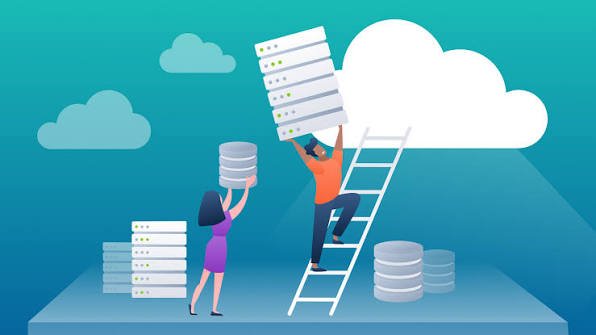
Businesses are increasingly moving their applications, data, servers, and IT infrastructure to the cloud. The reason is simple: cloud computing can provide greater flexibility, scalability, accessibility, and access to modern technology.
However, moving from traditional infrastructure to the cloud isn’t as simple as pressing a button.
Organizations need to understand their existing systems, choose the right cloud environment, plan the migration, protect their data, test applications, and monitor everything after the move.
This process is known as cloud migration.
A successful cloud migration can help businesses modernize their IT infrastructure, reduce operational challenges, improve scalability, and create a stronger foundation for digital growth. On the other hand, poor planning can lead to unexpected costs, downtime, security problems, and application performance issues.
In this guide, we’ll explain what cloud migration is, why businesses migrate to the cloud, the different types of cloud migration strategies, the benefits and challenges, and a practical step-by-step cloud migration process.
What Is Cloud Migration?
Cloud migration is the process of moving digital assets, applications, data, workloads, and IT infrastructure from an existing environment to a cloud computing environment.
The source environment may be:
- An on-premises data center
- Physical servers
- Private cloud infrastructure
- Another public cloud
- Legacy IT systems
The destination can be a public, private, hybrid, or multi-cloud environment.
Cloud migration doesn’t always mean moving everything exactly as it currently exists.
In some cases, organizations simply move an application to cloud infrastructure. In others, they completely redesign the application using cloud-native technologies.
The right approach depends on business objectives, technical requirements, budget, security needs, and application architecture.
Why Do Businesses Migrate to the Cloud?
Organizations migrate to the cloud for many different reasons.
Common motivations include:
- Reducing infrastructure management
- Improving scalability
- Increasing business agility
- Supporting remote work
- Modernizing legacy applications
- Improving disaster recovery
- Accessing advanced technologies
- Increasing operational flexibility
For example, an e-commerce company may experience unpredictable traffic.
Instead of purchasing enough physical servers to handle the highest possible demand, it may use cloud infrastructure that can scale according to traffic.
Benefits of Cloud Migration
Cloud migration can provide several benefits when planned and implemented correctly.
1. Scalability
Cloud infrastructure can allow organizations to increase or decrease computing resources according to workload requirements.
2. Flexibility
Teams can access cloud resources from different locations and environments, subject to security and access policies.
3. Modernization
Migration can provide an opportunity to replace outdated infrastructure and adopt modern cloud technologies.
4. Disaster Recovery
Cloud environments can support backup, replication, and recovery strategies.
5. Faster Innovation
Cloud services can provide access to databases, analytics, artificial intelligence, machine learning, containers, serverless computing, and other technologies.
6. Potential Cost Savings
Cloud migration can reduce certain infrastructure and maintenance costs, although cloud computing isn’t automatically cheaper.
Organizations need to analyze actual workloads and monitor cloud spending.
Cloud Migration Strategies
There is no single way to migrate an application to the cloud.
Organizations commonly consider several approaches.
1. Rehosting
Rehosting is often called “lift and shift.”
The application is moved to the cloud with relatively few changes.
This approach can be useful when organizations want to migrate quickly without redesigning the application.
Advantages
- Faster migration
- Fewer application changes
- Lower initial complexity
Disadvantages
- May not take full advantage of cloud-native features
- Existing inefficiencies may remain
2. Replatforming
Replatforming involves making selected changes to an application so it works better in the cloud without completely redesigning it.
For example, an organization might move an application to a managed database service.
This can provide some cloud benefits without requiring a complete rewrite.
3. Refactoring
Refactoring, sometimes called re-architecting, involves significantly redesigning an application for the cloud.
An organization might break a large application into microservices or adopt serverless technologies.
This can provide significant benefits but generally requires more time and expertise.
4. Repurchasing
Repurchasing involves replacing an existing application with a cloud-based software product or service.
For example, a company may replace an internally hosted business application with a software-as-a-service solution.
5. Retaining
Not every workload needs to move.
Organizations may decide to keep certain systems on-premises because of technical, regulatory, financial, or operational requirements.
6. Retiring
Some applications may no longer be necessary.
Migration planning can reveal outdated or redundant systems that can be safely retired.
Step-by-Step Cloud Migration Process
A successful migration requires careful planning.
Here is a practical cloud migration roadmap.
Step 1: Define Your Business Goals
Before moving anything, determine why the organization wants to migrate.
Possible objectives include:
- Reducing data center dependency
- Improving scalability
- Modernizing applications
- Supporting remote operations
- Improving disaster recovery
- Reducing maintenance work
Clear goals help determine which migration strategy makes sense.
Step 2: Assess Your Existing Infrastructure
Create an inventory of your current IT environment.
Identify:
- Applications
- Servers
- Databases
- Storage
- Networks
- Security systems
- Dependencies
- Users
You should understand how systems communicate with each other.
An application may appear simple but depend on several databases, APIs, authentication systems, and background services.
Step 3: Classify Your Workloads
Not every application should be migrated in the same way.
Classify workloads based on:
- Business importance
- Technical complexity
- Data sensitivity
- Performance requirements
- Compliance requirements
- Migration difficulty
Critical systems may require more detailed planning than non-critical applications.
Step 4: Choose the Right Cloud Environment
Organizations can choose between different cloud deployment models.
Public Cloud
Resources are provided by a cloud service provider and shared across customers through isolated environments.
Private Cloud
Cloud infrastructure is dedicated to a particular organization.
Hybrid Cloud
Combines private or on-premises infrastructure with public cloud services.
Multi-Cloud
Uses services from multiple cloud providers.
The best model depends on business and technical requirements.
Step 5: Select a Cloud Provider
Organizations should evaluate cloud providers based on factors such as:
- Available services
- Pricing
- Performance
- Geographic availability
- Security capabilities
- Compliance support
- Technical requirements
- Existing expertise
Avoid choosing a provider based only on price.
The provider should align with the organization’s long-term strategy.
Step 6: Build a Migration Plan
Create a detailed migration roadmap.
The plan should define:
- Which applications will move
- Migration order
- Dependencies
- Responsible teams
- Testing requirements
- Expected downtime
- Rollback procedures
Many organizations start with less critical workloads before migrating highly important systems.
Step 7: Prepare the Cloud Environment
Before moving applications, prepare the destination environment.
This may include configuring:
- Networking
- Identity and access management
- Security controls
- Storage
- Databases
- Monitoring
- Logging
- Backup
- Infrastructure as Code
A properly designed landing environment can make later migrations easier.
Step 8: Migrate Data
Data migration is often one of the most sensitive parts of the process.
Organizations need to consider:
- Data volume
- Data transfer speed
- Security
- Data integrity
- Downtime
- Compatibility
- Retention requirements
Data should be validated after migration to ensure it arrived correctly.
Step 9: Migrate Applications
Once the environment and data are ready, applications can be migrated according to the selected strategy.
For a rehosted application, this might involve moving a virtual machine.
For a modernized application, it could involve deploying containers, managed databases, serverless functions, or microservices.
Step 10: Test Everything
Testing is essential.
Teams should verify:
- Application functionality
- Performance
- Security
- Connectivity
- Data integrity
- User access
- Integration
- Backup and recovery
Testing should occur before the final production cutover whenever possible.
Step 11: Perform the Cutover
The cutover is the point when users and production workloads begin operating in the new cloud environment.
Organizations should carefully coordinate the transition.
Depending on the workload, techniques such as phased migration, blue-green deployment, or other controlled approaches may reduce risk.
Step 12: Monitor and Optimize
Cloud migration doesn’t end after the application is moved.
Organizations should monitor:
- Performance
- Availability
- Security
- Resource usage
- Cloud costs
- User experience
After migration, teams can optimize resources and configurations.
Common Cloud Migration Challenges
Cloud migration can create several challenges.
1. Unexpected Costs
Cloud services can generate costs from computing, storage, data transfer, managed services, and other resources.
2. Downtime
Poorly planned migrations can interrupt business operations.
3. Data Security
Sensitive data must be protected during transfer and after migration.
4. Legacy Applications
Older applications may not work efficiently in modern cloud environments.
5. Dependency Problems
Applications may depend on systems that weren’t identified during the planning stage.
6. Skills Gaps
Cloud migration may require expertise in cloud architecture, networking, security, databases, automation, and DevOps.
7. Performance Issues
An application that works well on-premises may behave differently in the cloud.
Cloud Migration Best Practices
Organizations can reduce migration risks by following several best practices.
Start Small
Begin with a manageable workload or pilot project.
Build an Application Inventory
Know what you have before deciding what to move.
Map Dependencies
Identify databases, APIs, authentication services, networks, and other dependencies.
Prioritize Security
Implement appropriate identity, access, encryption, logging, and monitoring controls.
Automate Where Possible
Infrastructure as Code and automated deployment tools can make migration more repeatable.
Create a Rollback Plan
Know how you will return to the previous environment if the migration fails.
Test Before Production
Perform functional, performance, security, and recovery testing.
Monitor Cloud Costs
Use budgets, alerts, resource tagging, and cost-management practices.
Train Employees
Ensure IT teams understand the new cloud environment.
Cloud Migration and Security
Security should be considered throughout the migration lifecycle.
Before migration, organizations should classify data and identify security requirements.
During migration, data should be transferred using appropriate secure mechanisms.
After migration, organizations should implement:
- Strong authentication
- Least-privilege access
- Encryption
- Network controls
- Security monitoring
- Audit logging
- Vulnerability management
Cloud security is a shared responsibility, so organizations must understand which security controls are managed by the provider and which remain their responsibility.
Cloud Migration and Disaster Recovery
Migration can also provide an opportunity to improve disaster recovery.
Organizations can design systems using:
- Automated backups
- Data replication
- Multiple availability zones or locations
- Infrastructure as Code
- Automated recovery procedures
However, moving to the cloud doesn’t automatically create disaster recovery.
Recovery procedures must still be designed, documented, and tested.
How Long Does Cloud Migration Take?
There is no universal timeline.
A small application might be migrated relatively quickly, while a large enterprise environment with hundreds of applications and complex dependencies can take months or years.
The timeline depends on:
- Number of workloads
- Application complexity
- Data volume
- Migration strategy
- Security requirements
- Testing requirements
- Available resources
A phased migration is often easier to manage than attempting to move everything at once.
Cloud Migration Tools
Organizations can use different types of tools throughout a migration project.
These can include:
- Cloud assessment tools
- Data migration services
- Infrastructure as Code tools
- Monitoring platforms
- Database migration tools
- Backup systems
- Application deployment tools
- Security and compliance platforms
The right tools depend on the cloud provider, application architecture, and migration strategy.
Frequently Asked Questions
What is cloud migration?
Cloud migration is the process of moving applications, data, workloads, and IT infrastructure from an existing environment to a cloud computing environment.
Why do companies migrate to the cloud?
Companies may migrate to improve scalability, flexibility, modernization, disaster recovery, accessibility, and operational efficiency.
What are the main cloud migration strategies?
Common strategies include rehosting, replatforming, refactoring, repurchasing, retaining, and retiring.
Is cloud migration expensive?
Costs vary significantly. Migration can require investment in assessment, engineering, data transfer, tools, training, and cloud infrastructure. Long-term costs also depend on how resources are managed.
How long does cloud migration take?
The timeline depends on the size and complexity of the environment. Small projects can take weeks, while large enterprise migrations can take months or longer.
Is cloud migration secure?
Cloud migration can be secure when organizations use appropriate encryption, access controls, network security, monitoring, and data-protection practices.
Should every application be moved to the cloud?
No. Some applications may be better suited to remaining on-premises or being retired. Organizations should evaluate each workload individually.
Final Thoughts
Cloud migration is more than moving servers from one location to another.
It is a strategic process that can help organizations modernize their technology environment, improve scalability, increase flexibility, and access a wide range of cloud services.
However, successful migration requires careful planning.
Businesses should begin by defining clear objectives, assessing existing infrastructure, identifying dependencies, classifying workloads, selecting an appropriate cloud environment, and choosing the right migration strategy.
The actual migration should then be performed in controlled stages, followed by thorough testing, monitoring, security reviews, and optimization.
One of the most important lessons is that there is no single cloud migration strategy that works for every application.
Some workloads may be suitable for lift-and-shift migration, while others may benefit from replatforming or complete modernization. Some systems may be retired, and others may need to remain in their existing environment.
By taking a structured and business-focused approach, organizations can reduce migration risks and build a cloud environment that supports long-term growth.
Whether you’re a small business moving your first application or a large enterprise modernizing hundreds of workloads, understanding what cloud migration is and how the cloud migration process works is the first step toward making the transition successfully.