
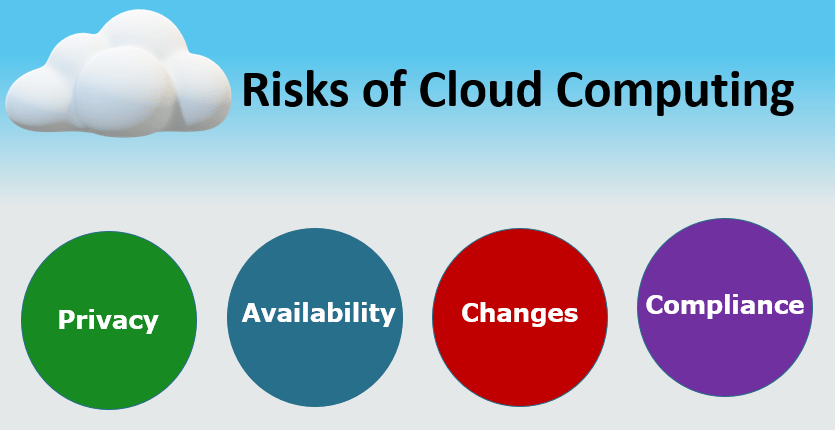
Cloud computing has transformed the way businesses store data, run applications, manage infrastructure, and deliver digital services. Instead of relying entirely on physical servers and traditional data centers, organizations can use cloud platforms to access computing resources over the internet.
The benefits are significant. Cloud computing can provide flexibility, scalability, faster deployment, and access to advanced technologies without requiring businesses to build and maintain all their infrastructure themselves.
However, moving to the cloud doesn’t eliminate technology risks.
Cloud environments can introduce new security, privacy, operational, financial, and compliance challenges. Poor configurations, weak passwords, excessive permissions, outages, unexpected costs, and inadequate backup strategies can all create serious problems.
Understanding these risks is the first step toward managing them.
In this guide, we’ll explore the most common cloud computing risks, explain why they happen, and discuss practical strategies businesses can use to protect their data, applications, and infrastructure.
What Are Cloud Computing Risks?
Cloud computing risks are potential problems that can affect cloud-based systems, applications, data, and infrastructure.
These risks can come from different sources, including:
- Cyberattacks
- Human error
- Poor configuration
- Weak access controls
- Service outages
- Data loss
- Compliance issues
- Unexpected costs
- Inadequate monitoring
- Third-party dependencies
The specific risks depend on the type of cloud environment and how an organization uses it.
A small company hosting a simple website may face different risks from a bank running thousands of cloud-based applications.
The good news is that many cloud risks can be reduced through proper planning, security controls, monitoring, employee training, and regular testing.
1. Data Breaches
One of the biggest concerns associated with cloud computing is unauthorized access to sensitive information.
Businesses may store customer information, financial records, intellectual property, credentials, and other valuable data in cloud environments.
If attackers gain unauthorized access, the consequences can include financial losses, legal problems, reputational damage, and disruption to business operations.
How to Manage the Risk
Organizations should implement multiple layers of protection.
Important measures include:
- Strong authentication
- Multi-factor authentication
- Encryption
- Least-privilege access
- Security monitoring
- Vulnerability management
- Regular security assessments
Access should be limited to people and systems that genuinely need it.
2. Misconfigured Cloud Resources
Cloud misconfiguration is another common source of security problems.
For example, a storage resource may accidentally be made publicly accessible, or a firewall rule might allow unnecessary internet traffic.
Cloud platforms provide powerful configuration options, but that flexibility also means mistakes can have serious consequences.
How to Manage the Risk
Organizations should:
- Review cloud configurations regularly
- Use secure configuration templates
- Automate security checks
- Follow least-privilege principles
- Use Infrastructure as Code
- Conduct periodic audits
Automated configuration monitoring can help identify risky settings before they become major security incidents.
3. Weak Identity and Access Management
Cloud systems often contain many users, applications, services, and devices.
If identities are poorly managed, unauthorized users may gain access to sensitive resources.
Using one administrator account for everything is particularly risky.
How to Manage the Risk
Use a strong identity and access management strategy.
Organizations should:
- Enable multi-factor authentication
- Use role-based permissions
- Apply least privilege
- Remove inactive accounts
- Rotate credentials where appropriate
- Monitor authentication activity
- Avoid unnecessary administrator privileges
Access should be regularly reviewed to make sure employees have only the permissions they need.
4. Data Loss
Data can be lost because of accidental deletion, hardware problems, software errors, cyberattacks, or other unexpected events.
Although major cloud providers operate sophisticated infrastructure, customers should not assume that simply storing data in the cloud automatically means it is protected from every form of loss.
How to Manage the Risk
Develop a proper backup and recovery strategy.
Businesses should determine:
- What data needs to be backed up
- How frequently backups should occur
- Where backups should be stored
- How long backups should be retained
- Who can access backups
- How quickly data needs to be restored
Most importantly, backups should be tested.
A backup that has never been successfully restored should not be treated as a guaranteed recovery solution.
5. Cloud Service Outages
Cloud providers generally design their platforms for high availability, but outages can still occur.
An outage affecting a critical cloud service can interrupt websites, applications, internal systems, or customer-facing services.
How to Manage the Risk
Businesses should design applications with resilience in mind.
Depending on the workload, this can include:
- Multiple availability zones
- Redundant services
- Automated failover
- Health monitoring
- Disaster recovery plans
- Backup infrastructure
Organizations should also define acceptable downtime through recovery objectives and test their recovery procedures regularly.
6. Vendor Lock-In
Cloud platforms offer many managed services.
These services can make development faster, but heavy dependence on provider-specific technologies can make it difficult to move workloads elsewhere.
This situation is commonly called vendor lock-in.
How to Manage the Risk
Organizations should evaluate portability before adopting highly specialized services.
Possible strategies include:
- Using open standards
- Containerizing applications
- Documenting architecture
- Using Infrastructure as Code
- Avoiding unnecessary provider-specific dependencies
- Developing a realistic exit strategy
Vendor lock-in isn’t always bad.
Sometimes a managed service provides significant business value.
The important thing is to understand the trade-offs before making the decision.
7. Compliance and Data Privacy
Businesses operating in regulated industries may have strict requirements regarding how information is collected, processed, stored, and protected.
Examples can include requirements involving:
- Personal information
- Financial data
- Healthcare information
- Customer records
- Data retention
- Data location
Moving information to the cloud doesn’t automatically make an organization compliant.
How to Manage the Risk
Organizations should identify applicable laws, regulations, contracts, and industry requirements before deploying sensitive workloads.
They should also:
- Classify data
- Control access
- Encrypt sensitive information
- Maintain audit logs
- Establish retention policies
- Document security procedures
- Regularly review compliance requirements
Legal and compliance teams should be involved when necessary.
8. Insecure APIs
Cloud environments rely heavily on APIs.
Applications use APIs to communicate with cloud services, databases, authentication systems, and other applications.
If an API is poorly designed or inadequately protected, attackers may exploit it.
How to Manage the Risk
Organizations should implement:
- Strong authentication
- Authorization controls
- Encryption
- Input validation
- Rate limiting
- API monitoring
- Regular security testing
API credentials should never be exposed unnecessarily.
9. Insider Threats
Not every security incident comes from an external attacker.
Employees, contractors, or other authorized users can accidentally or intentionally misuse access.
An employee might accidentally delete data, expose confidential information, or use excessive permissions.
How to Manage the Risk
Organizations should use:
- Least-privilege access
- Role-based permissions
- Activity logging
- Security monitoring
- Employee training
- Separation of duties
- Regular access reviews
Monitoring should focus on identifying unusual behavior while respecting applicable privacy and employment requirements.
10. Unexpected Cloud Costs
Cloud computing typically uses usage-based pricing.
This flexibility can be beneficial, but it can also create unexpected expenses.
A developer might accidentally leave test resources running, or an application could generate significantly more traffic than expected.
How to Manage the Risk
Businesses should establish cloud cost-management practices.
These can include:
- Budgets
- Spending alerts
- Resource tagging
- Usage monitoring
- Automated resource shutdown
- Rightsizing
- Regular cost reviews
Development and testing environments should be managed carefully.
Cost optimization should become an ongoing process rather than something done only after receiving a large bill.
11. Lack of Visibility
Cloud environments can become complicated quickly.
Organizations may have hundreds or thousands of resources spread across accounts, regions, applications, and teams.
Without proper monitoring, it can be difficult to understand what’s happening.
How to Manage the Risk
Use centralized monitoring and logging where appropriate.
Monitor:
- Application performance
- Infrastructure health
- Security events
- Authentication activity
- Network traffic
- Resource usage
- Cloud costs
Good visibility helps organizations detect problems earlier.
12. Inadequate Disaster Recovery
A backup strategy alone isn’t enough.
Businesses also need a plan for restoring critical services after a major incident.
Disaster recovery involves preparing for scenarios such as:
- Cyberattacks
- Major outages
- Data corruption
- Infrastructure failures
- Accidental deletion
- Natural disasters
How to Manage the Risk
Create a documented disaster recovery plan.
Identify critical applications and determine:
- How quickly they must be restored
- How much data loss is acceptable
- Which systems depend on each other
- Who is responsible for recovery
- Where recovery resources will run
Test the plan regularly.
A plan that exists only in a document may fail when it is actually needed.
13. Human Error
Technology systems are managed by people, and people make mistakes.
Someone might delete the wrong resource, change a firewall rule, expose credentials, or deploy an incorrect configuration.
How to Manage the Risk
Automation can reduce repetitive manual work.
Organizations can use:
- Infrastructure as Code
- Automated testing
- Approval processes
- Configuration management
- Change management
- Employee training
The goal isn’t to eliminate humans from the process.
It’s to reduce avoidable errors and make changes more predictable.
14. Third-Party Dependencies
Cloud applications often depend on external services, APIs, software packages, and providers.
If a critical third-party service experiences an outage or security problem, your application may also be affected.
How to Manage the Risk
Maintain an inventory of important dependencies.
For critical services, evaluate:
- Availability
- Security
- Data handling
- Business continuity
- Service-level commitments
- Exit options
Avoid allowing a single external dependency to become an unnoticed point of failure.
The Shared Responsibility Model
One of the most important concepts in cloud security is the shared responsibility model.
Cloud providers are generally responsible for securing the underlying infrastructure they operate.
Customers are responsible for securing many aspects of what they deploy and configure within the cloud.
The exact division varies depending on the service.
For example, responsibility can differ between infrastructure services, managed databases, and fully managed applications.
Understanding this model is essential because using a reputable cloud provider doesn’t mean every security responsibility is automatically handled by the provider.
How to Build a Strong Cloud Risk Management Strategy
A good cloud risk management strategy should be proactive.
Step 1: Identify Assets
Determine what applications, systems, and data you have in the cloud.
Step 2: Classify Data
Identify which information is public, internal, confidential, or highly sensitive.
Step 3: Assess Threats
Consider potential security, operational, financial, and compliance risks.
Step 4: Implement Controls
Use appropriate security, monitoring, backup, access, and governance controls.
Step 5: Monitor Continuously
Cloud environments change constantly.
Regular monitoring helps identify new problems.
Step 6: Test Your Defenses
Conduct security assessments, recovery tests, and configuration reviews.
Step 7: Update Policies
Technology and business requirements change.
Review cloud policies regularly.
Best Practices for Reducing Cloud Computing Risks
Organizations can reduce many cloud risks by following several basic principles:
- Use multi-factor authentication.
- Apply least-privilege access.
- Encrypt sensitive information.
- Maintain tested backups.
- Monitor cloud activity.
- Keep systems updated.
- Use secure configurations.
- Automate infrastructure where appropriate.
- Monitor cloud spending.
- Document recovery procedures.
- Train employees.
- Regularly review permissions.
- Test disaster recovery plans.
- Keep an inventory of cloud resources.
No single security measure can eliminate every risk.
A layered approach is more effective.
Frequently Asked Questions
Is cloud computing safe?
Cloud computing can be secure when it is properly designed, configured, monitored, and managed. Security depends on both the cloud provider and the customer.
What is the biggest risk of cloud computing?
There isn’t one universal biggest risk. Data breaches, misconfiguration, weak access controls, data loss, outages, and compliance failures can all create significant problems depending on the organization.
Can cloud computing prevent data loss?
Cloud platforms provide tools for backups, replication, and recovery, but customers still need to configure and test appropriate protection strategies.
How can small businesses reduce cloud security risks?
Small businesses should prioritize multi-factor authentication, strong access controls, secure configurations, backups, software updates, monitoring, employee training, and cost alerts.
Is cloud computing more secure than traditional IT?
Security depends on implementation. Cloud providers can offer sophisticated security infrastructure, but customers can still create vulnerabilities through poor configuration, weak credentials, excessive permissions, or inadequate monitoring.
Final Thoughts
Cloud computing offers businesses enormous advantages, but those advantages come with responsibilities.
Understanding cloud computing risks is essential for organizations that want to take advantage of the cloud without unnecessarily exposing their data, applications, or finances.
The most effective approach is not to avoid cloud technology because risks exist.
Instead, organizations should identify potential risks, understand their responsibilities, implement appropriate controls, and continuously monitor their environments.
Strong identity management, encryption, backups, security monitoring, disaster recovery, cost controls, employee training, and secure configuration can significantly reduce many common cloud risks.
Most importantly, cloud security should not be treated as a one-time project.
Cloud environments constantly change as applications are deployed, users are added, infrastructure is modified, and new technologies are introduced.