
Cloud computing has become one of the most important technologies in modern business. From small startups to large global enterprises, organizations use cloud services to host websites, store data, run applications, analyze information, and support remote work.
One of the most widely used forms of cloud technology is public cloud computing.
Public cloud platforms allow businesses and individuals to access computing resources over the internet without having to purchase and maintain all the physical infrastructure themselves.
This model has changed how organizations approach IT infrastructure. Instead of investing heavily in servers and data centers before launching a service, businesses can obtain computing resources when they need them and adjust their usage as requirements change.
But what exactly is public cloud computing? What features does it offer, and why do businesses use it?
This guide explains public cloud computing, its key features, benefits, limitations, common examples, use cases, security considerations, and how it compares with private and hybrid cloud models.
What Is Public Cloud Computing?
Public cloud computing is a cloud computing model in which computing resources and services are provided by a third-party cloud service provider over the internet.
The provider owns and operates the underlying infrastructure, including data centers, servers, networking equipment, and storage systems.
Customers can access services and resources according to their requirements.
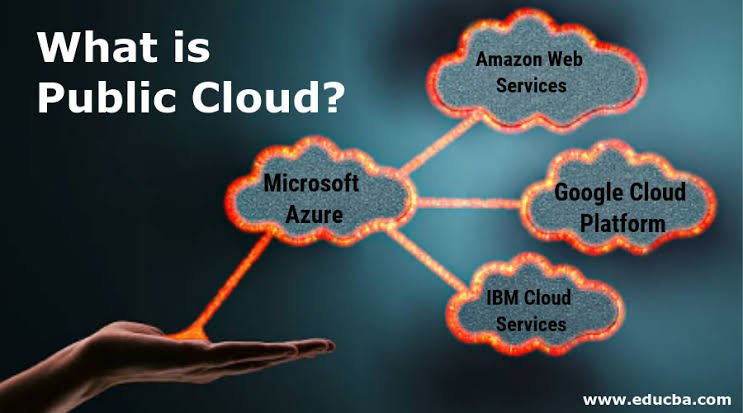
Popular public cloud providers include:
- Amazon Web Services (AWS)
- Microsoft Azure
- Google Cloud
These providers offer hundreds of services covering areas such as computing, storage, databases, networking, analytics, artificial intelligence, security, and application development.
The infrastructure is shared among multiple customers, but customers’ data and workloads are logically isolated using security and access-control mechanisms.
How Does Public Cloud Computing Work?
Public cloud providers operate large data centers containing thousands of servers and other infrastructure components.
Customers access cloud resources through:
- Web-based management consoles
- Command-line interfaces
- APIs
- Automation tools
- Software development kits
For example, a business might create a virtual server to host a website.
Instead of purchasing a physical server, the company can provision a cloud-based computing resource within minutes.
If traffic increases, the business can increase resources or configure automatic scaling.
When resources are no longer needed, they can be reduced or removed.
This flexibility is one of the defining characteristics of public cloud computing.
Key Features of Public Cloud Computing
Public cloud platforms provide several features that make them attractive to organizations.
1. On-Demand Resources
Users can provision computing resources when they need them.
This eliminates the need to purchase hardware months in advance for future requirements.
2. Scalability
Cloud resources can often be increased or decreased according to workload requirements.
For example, an e-commerce website might need more computing capacity during a major sales event and less capacity during quieter periods.
3. Pay-as-You-Go Pricing
Many public cloud services use consumption-based pricing.
Customers generally pay according to their resource usage, although pricing models vary by service and provider.
4. Global Infrastructure
Major cloud providers operate infrastructure across numerous geographic regions.
This allows businesses to deploy applications closer to their users and design systems for geographic resilience.
5. Managed Services
Public cloud providers offer managed services for databases, machine learning, analytics, messaging, monitoring, security, and many other workloads.
Managed services can reduce the amount of infrastructure that customers need to operate themselves.
6. Automation
Cloud resources can be managed through APIs and automation tools.
This allows organizations to automate deployment, scaling, configuration, and monitoring.
7. Resource Pooling
Cloud providers pool large amounts of infrastructure and allocate resources to customers as needed.
This allows providers to achieve economies of scale.
Benefits of Public Cloud Computing
Public cloud computing provides several advantages.
1. Lower Upfront Costs
One of the biggest benefits is that businesses don’t necessarily need to purchase large amounts of hardware before deploying applications.
Instead, they can access infrastructure as a service.
This can make cloud technology particularly attractive to startups and small businesses.
2. Easy Scalability
Traditional infrastructure often requires businesses to purchase additional servers when demand increases.
Public cloud platforms can make scaling faster.
Resources can be added when required and reduced when demand falls.
3. Faster Deployment
Cloud resources can often be provisioned quickly.
Developers can create environments for development, testing, and production without waiting for physical hardware to be installed.
This can accelerate software development and deployment.
4. Access to Advanced Technology
Public cloud providers offer services for technologies that might otherwise require significant investment.
These can include:
- Artificial intelligence
- Machine learning
- Big data
- Serverless computing
- Data analytics
- High-performance computing
Businesses can experiment with these technologies without necessarily building all the underlying infrastructure themselves.
5. Reduced Infrastructure Maintenance
The cloud provider manages the underlying physical infrastructure.
This can reduce the amount of hardware maintenance required from customers.
However, customers still remain responsible for many aspects of their applications, configurations, identities, and data depending on the service model.
6. Flexible Resource Management
Businesses can adjust resources according to changing requirements.
This flexibility can be especially useful for applications with unpredictable workloads.
7. Support for Remote Work
Cloud-based applications and services can allow employees to access business systems from different locations, depending on the application’s design and security controls.
This has made cloud technology an important part of modern distributed workplaces.
Examples of Public Cloud Computing
There are many real-world examples of public cloud services.
Amazon Web Services
AWS provides services for computing, storage, databases, networking, security, analytics, artificial intelligence, and many other areas.
Organizations can use AWS to build everything from small websites to large distributed applications.
Microsoft Azure
Microsoft Azure provides a broad range of cloud services.
Businesses can use Azure for application hosting, databases, networking, analytics, AI, virtual machines, identity, security, and enterprise workloads.
Google Cloud
Google Cloud provides infrastructure and managed services for computing, storage, databases, data analytics, artificial intelligence, machine learning, and application development.
These providers operate large-scale cloud infrastructure that customers can access through the internet.
Common Public Cloud Use Cases
Public cloud computing is used in many industries and applications.
Website Hosting
Businesses can host websites and web applications using public cloud infrastructure.
Application Development
Developers can quickly create development and testing environments.
Data Storage
Organizations can store files, backups, databases, and other information in cloud storage services.
Backup and Disaster Recovery
Businesses can use cloud infrastructure as part of backup and disaster recovery strategies.
Artificial Intelligence
Cloud providers offer access to machine learning and AI services without requiring organizations to build all the necessary infrastructure themselves.
Data Analytics
Businesses can process large amounts of information using cloud-based analytics services.
Software as a Service
Many applications people use every day are delivered through the public cloud.
Users access the software through the internet while the provider manages much of the underlying infrastructure.
Public Cloud Security
Security is one of the most important considerations when using public cloud computing.
Some people assume that shared infrastructure automatically means poor security.
That’s not necessarily true.
Major cloud providers invest heavily in infrastructure security, but customers still have important security responsibilities.
Organizations should implement:
- Multi-factor authentication
- Strong identity management
- Least-privilege access
- Encryption
- Network security
- Security monitoring
- Secure configuration
- Backup strategies
- Regular security assessments
Cloud security follows a shared responsibility model, meaning the provider and customer have different responsibilities depending on the services being used.
Public Cloud vs. Private Cloud
The main difference between public and private cloud computing is infrastructure ownership and dedication.
Public Cloud
- Infrastructure is operated by a cloud provider.
- Resources are shared among multiple customers.
- Customers generally pay for the services they use.
- Scaling can be highly flexible.
- The provider manages the underlying physical infrastructure.
Private Cloud
- Infrastructure is dedicated to one organization.
- The organization generally has greater control over the environment.
- It can provide extensive customization.
- It may require greater investment and management expertise.
Neither model is automatically better.
The right choice depends on business requirements.
Public Cloud vs. Hybrid Cloud
A hybrid cloud combines public cloud resources with private infrastructure.
For example, an organization might maintain certain sensitive applications in a private environment while using public cloud infrastructure for scalable web applications or analytics.
Hybrid cloud can provide flexibility, but it can also introduce additional management complexity.
Challenges of Public Cloud Computing
Despite its advantages, public cloud computing has potential challenges.
Security Misconfiguration
Incorrect permissions or configurations can expose resources.
Unexpected Costs
Usage-based pricing can result in unexpected expenses if resources aren’t monitored.
Vendor Lock-In
Heavy dependence on provider-specific services can make migration more difficult.
Service Outages
Cloud providers can experience outages, potentially affecting customer applications.
Compliance
Organizations must ensure that cloud usage meets applicable regulatory and contractual requirements.
Complexity
Cloud platforms provide hundreds of services, and managing them effectively can require specialized skills.
How to Use Public Cloud Effectively
Organizations can improve their cloud operations by following several best practices.
Monitor Costs
Use budgets, alerts, resource tagging, and regular cost reviews.
Secure Identities
Use multi-factor authentication and least-privilege permissions.
Automate Infrastructure
Use Infrastructure as Code and automation where appropriate.
Monitor Applications
Track performance, availability, security events, and resource utilization.
Create Backups
Protect critical data through appropriate backup and recovery strategies.
Document Your Architecture
Good documentation helps teams understand dependencies and troubleshoot problems.
Train Employees
Cloud technology evolves quickly, so continuous learning is important.
Is Public Cloud Right for Your Business?
Public cloud computing can be a good option for organizations that want:
- Flexible infrastructure
- Fast deployment
- Scalable resources
- Access to managed services
- Lower upfront infrastructure investment
- Global availability
- Access to modern technologies
However, businesses should evaluate security, compliance, cost, performance, and operational requirements before moving workloads to the cloud.
Not every application needs to move to a public cloud.
A workload assessment can help determine which applications are suitable.
The Future of Public Cloud Computing
Public cloud technology continues to evolve.
Artificial intelligence is becoming increasingly integrated into cloud platforms, while serverless computing, containers, edge computing, data analytics, and automation continue to expand.
Cloud providers are also offering more specialized services for developers, data professionals, security teams, and AI engineers.
As businesses become more dependent on digital services, public cloud infrastructure will likely remain an important part of modern technology.
The focus is also shifting from simply moving applications to the cloud toward building cloud-native systems that take advantage of automation, scalability, managed services, and modern development practices.
Frequently Asked Questions
What is public cloud computing?
Public cloud computing provides computing services over the internet through a third-party cloud provider. The provider owns and manages the underlying infrastructure, while customers use the services they need.
What are examples of public cloud providers?
The three major public cloud providers are AWS, Microsoft Azure, and Google Cloud.
What are the main benefits of public cloud computing?
Major benefits include scalability, flexibility, faster deployment, reduced upfront infrastructure investment, managed services, and access to advanced technologies.
Is public cloud secure?
Public cloud environments can be highly secure, but customers still need to configure and manage their applications, identities, data, and security controls properly.
Is public cloud cheaper than private cloud?
It depends on the workload and usage pattern. Public cloud can reduce upfront infrastructure costs, but long-term expenses depend on resource consumption, architecture, pricing models, and management practices.
What is the difference between public and private cloud?
Public cloud infrastructure is provided by a cloud provider and shared among multiple customers using logical isolation. Private cloud infrastructure is dedicated to one organization.
Final Thoughts
Public cloud computing has become a major foundation of modern digital infrastructure.
Its combination of scalability, flexibility, managed services, global infrastructure, and consumption-based access allows businesses to build and operate applications without owning all the underlying physical infrastructure.
From website hosting and data storage to artificial intelligence and application development, public cloud platforms support a wide range of use cases.
However, businesses should not adopt public cloud technology without proper planning.
Security, compliance, cost management, performance, and vendor dependencies all need to be considered.
Organizations should also understand the shared responsibility model and make sure their teams know which security and operational tasks remain their responsibility.
When properly planned and managed, public cloud computing can give organizations the flexibility to respond to changing business requirements while providing access to powerful technologies and services.
For businesses beginning their cloud journey, understanding the features, benefits, limitations, and real-world examples of public cloud computing is an important first step toward making better technology decisions.